Scheduling a Medication Review from the PFS Button
To schedule a medication review from the PFS button:
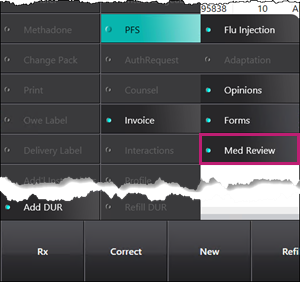
- Select Rx > PFS > Med Review.
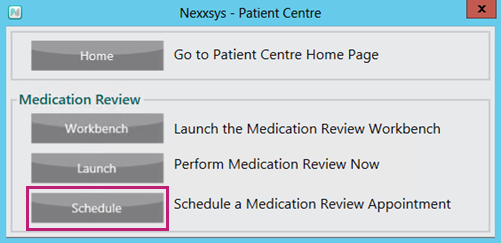
A Patient Centre window appears. - Select Schedule.
A Medication Review window appears.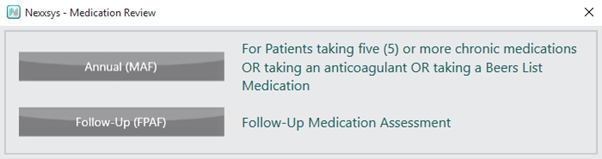
- Select the appropriate medication review type. The Patient Search window appears.
- Search for and select the patient. The Activities window opens.
- If the selected patient is eligible for a medication review that was previously auto-scheduled for the patient, the following prompt appears:
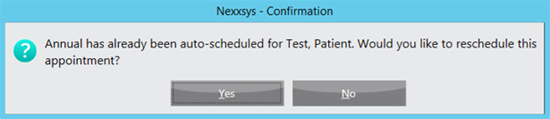
- Select Yes to open the Activities window. Proceed to step 5.
- Select No to end the scheduling process.
- If the selected patient is eligible for a medication review that was previously auto-scheduled for the patient, the following prompt appears:
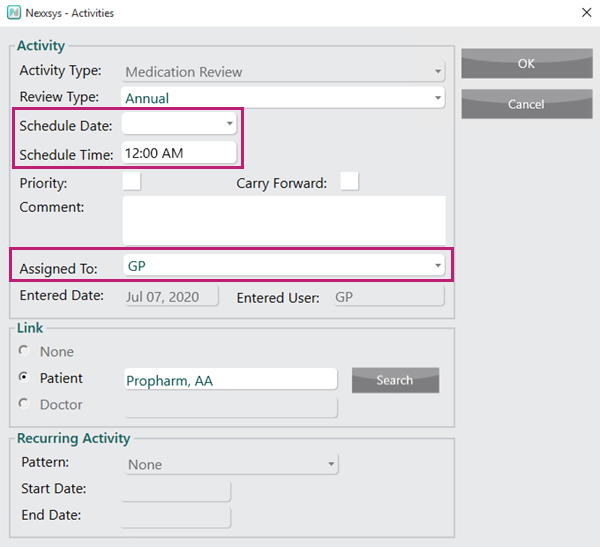
- In the Activities window, enter the following information:
- Scheduled Date
- Scheduled Time
- Assigned To
- Select OK. The activity is created and displays in More > Activities for the scheduled date.